AI Girlfriend Refund Policies 2026: Subscriptions & Credits Guide

AI girlfriend refund policies in 2026 vary by what you bought and how you paid — not just by what the app says.
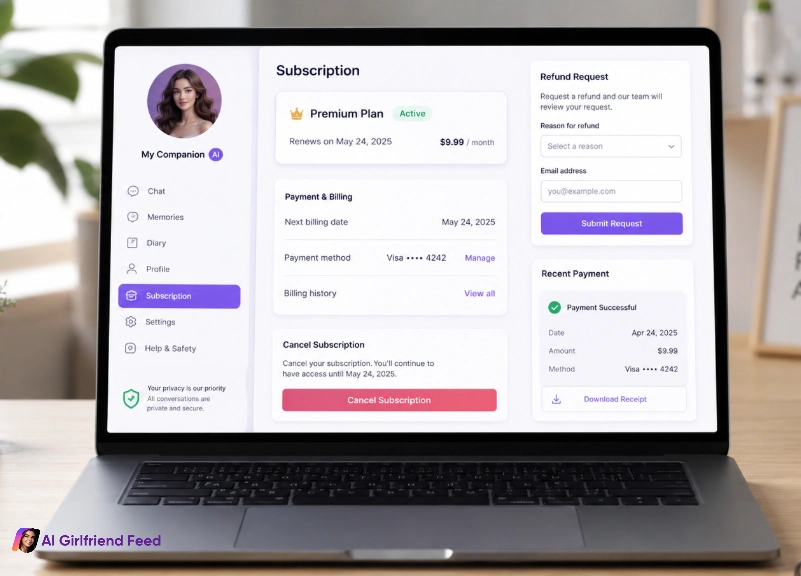
If you bought an AI girlfriend app subscription and you regret it, your best shot is usually canceling immediately and requesting a refund through the store or payment method you used (Apple, Google Play, card, PayPal), not by yelling at the app’s support inbox.
If you bought credits/tokens/coins, refunds are often harder. Some brands treat credits like “used digital goods” even if you never spent them. That doesn’t mean you’re powerless, but it does mean you need to move fast, stay factual, and follow the right channel.
This guide is my no-drama map for getting your money back (or at least stopping the bleeding) without turning your bank statement into a horror movie.
What You're Really Searching For (And Why It Matters)
When people search “AI girlfriend refund policy,” they’re usually asking one of these:
We’re going to cover all of that, but in a way that doesn’t pretend every app plays nice. (They don’t.)
How AI Girlfriend Refund Policies Work by Payment Type
Refund rules depend less on the AI girlfriend app and more on how you paid and what you bought.
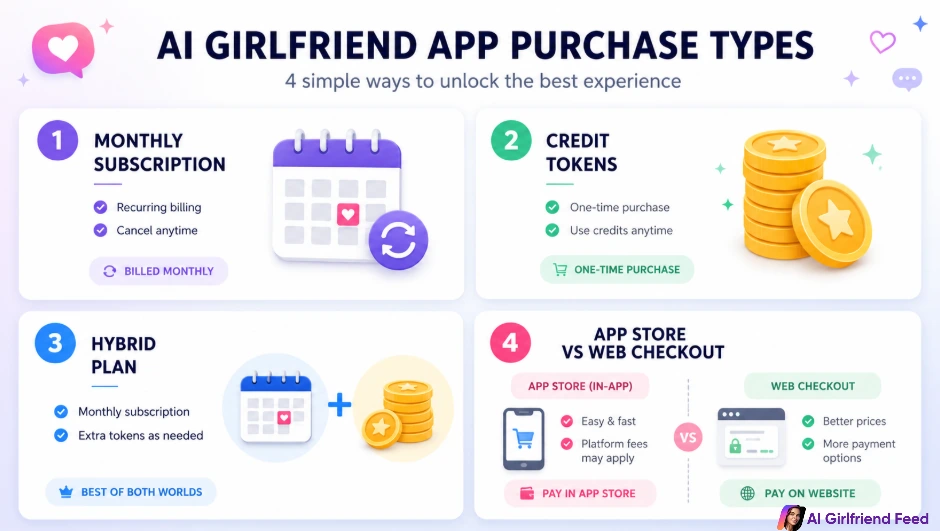
Subscription (monthly/annual)
You pay a recurring fee. You might get unlimited chat, “faster” responses, and a bundle of credits every month.
Refund reality: cancellations are easy. Refunds depend on platform timing and policy.
Credits/tokens/coins (one-time packs)
You buy a pack of credits and spend them on images, voice, video, or “premium” chat.
Refund reality: many brands treat credits like consumables. Refunds get messy fast.
Hybrid (subscription + paid add-ons)
You pay monthly and still get upsold credit packs.
Refund reality: you may need two different refund actions (one for the subscription, one for the add-on purchase).
Web checkout vs app-store checkout
This is the biggest gotcha. If you paid inside:
If you’re feeling anxious about this whole thing, also bookmark this: billing privacy matters. Start here if you’re worried about descriptors and receipts
What “No Refunds” Usually Means (And What It Doesn't)
You’ll see “no refunds” in a lot of adult-ish AI spaces. Sometimes it’s reasonable (digital goods are instantly deliverable). Sometimes it’s used as a shield for lazy support.
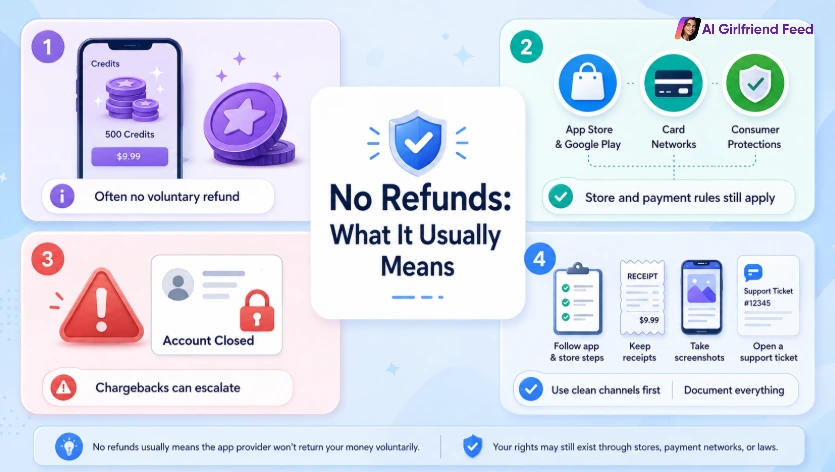
Here’s the truth:
The smart move is to start with the clean channels first, document everything, and only escalate if you truly need to.
Refund Odds by Purchase Type: What to Realistically Expect
| What you bought | Where you paid | Refund odds | Best first step | Biggest “gotcha” |
|---|---|---|---|---|
| Subscription | Apple App Store | Medium | Request refund via Apple + cancel subscription | Apple may deny if “used” or outside window |
| Subscription | Google Play | Medium | Request refund via Google + cancel subscription | Refund window varies; sometimes pro-rated is unlikely |
| Subscription | Web checkout (card/PayPal) | Low–Medium | Contact merchant support with timestamps + request cancel/refund | Some brands stall; keep proof ready |
| Credits/tokens | Apple/Google | Low–Medium | Request refund via store (esp. accidental/child purchase) | Stores often treat consumables as final |
| Credits/tokens | Web checkout | Low | Ask merchant; escalate only with strong evidence | “Digital goods delivered” argument |
| Duplicate charge | Any | High | Provide screenshot + exact timestamps | Easy win if you’re precise |
| Unauthorized charge | Any | High | Freeze/cancel payment method + report quickly | Don’t delay; time hurts you |
Your Refund Request Checklist (Copy, Paste, Send)
| Item | Why it matters | What to collect |
|---|---|---|
| Order/transaction ID | Support can’t act without it | Receipt email, App Store/Play order number |
| Date/time (with timezone) | Refund windows are time-based | Screenshot of purchase confirmation |
| What you expected vs got | Keeps your request factual | 3–5 bullet notes, not a rant |
| Proof of technical failure (if any) | Strongest refund lever | Error screenshots, stuck loading, broken feature |
| Proof you canceled (subscriptions) | Shows you acted fast | Cancellation confirmation screen |
| Account email/username | Prevents endless back-and-forth | The email you signed up with |
If you also want to reduce how much personal stuff these apps keep, read this after you handle refunds:
Step-by-Step: The Fastest Path to a Refund by Payment Channel
If you paid via Apple App Store
Apple is strict, but Apple is also consistent. Don’t waste time arguing with the app first if Apple processed the payment.
What I do:
What to say (keep it short):
I purchased [subscription/credits] by mistake / the app did not work as described. I canceled immediately and I’m requesting a refund for Order ID [ID].
What not to do:
If you paid via Google Play
Google Play refunds can feel random, but you still want to play it straight:
Strong reasons Google is more likely to accept:
If you paid on the web with a card (Stripe/processor checkout)
This is where “no refunds” shows up the most.
Your best playbook:
- Find the receipt email. Search your inbox for the charge amount and the merchant descriptor.
- Reply to the receipt email or contact support with the order ID.
- Ask for a refund or a cancellation + confirmation that you will not be rebilled.
- Give them one clean chance to fix it. Set a short deadline (24–48 hours).
Keep your support message like this:
Subject: Refund request for Order [ID] — purchased [date]
Message:
Hi team — I purchased [plan/credit pack] on [date/time]. I’m requesting a refund because [reason in one sentence].
Order ID: [ID]
Account email: [email]
Thank you.
Reasons that work better than “I changed my mind”:
If you paid with PayPal
PayPal disputes are their own universe. The big rule: keep everything documented and stick to objective claims.
If it’s genuinely unauthorized: report fast.
If it’s “digital goods not as described”: keep your claim specific (for example, a broken feature that you can show).
If you’re considering a chargeback (the “nuclear option”)
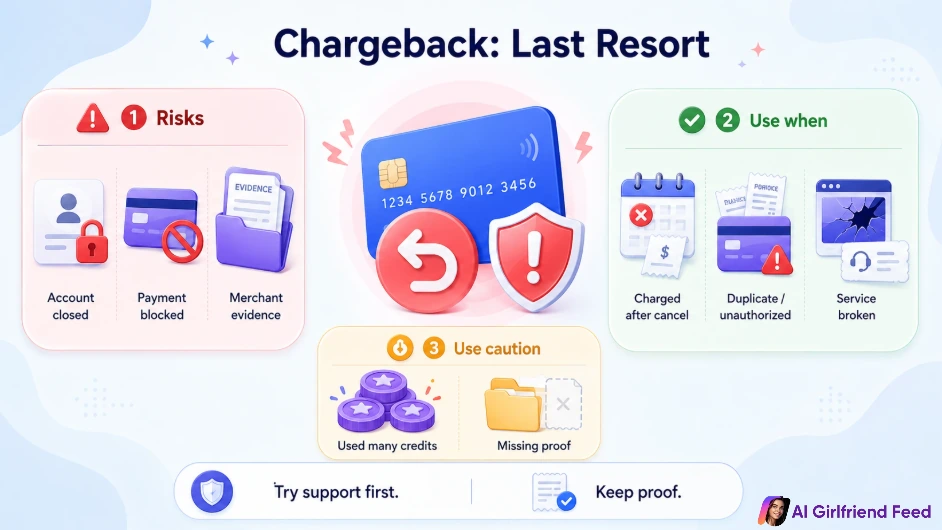
Chargebacks can work, but they can also backfire:
Use a chargeback when:
Use caution when:
Credits, Tokens, and Coins: The Part Everyone Hates
Let’s be real: credit packs are designed to be hard to refund because they are designed to be easy to burn.
If you want the best possible chance:
Also, learn the token traps so you don’t get surprised next time
What to Do if You Think the App Is a Scam
Not every disappointing app is a scam. But some are… not great.
Red flags that justify escalation:
If you’re in this situation, do this in order:
If you want the broader scam-defense playbook for this niche:
Cost, Privacy, and Mental Health Notes Worth Reading
Refund anxiety is often a symptom of two bigger issues:
If you feel yourself impulse-buying or doom-upgrading, pause and read this:
Internal link: /guides/ai-companion-addiction/
Also: keep adult AI use 18+. Don’t share identifying photos if you’re not comfortable with where they might end up. And don’t treat an AI girlfriend app as a therapist.
Fun? Sure. Mental-health substitute? Nope.
Where Priority Partners Fit in Your Decision
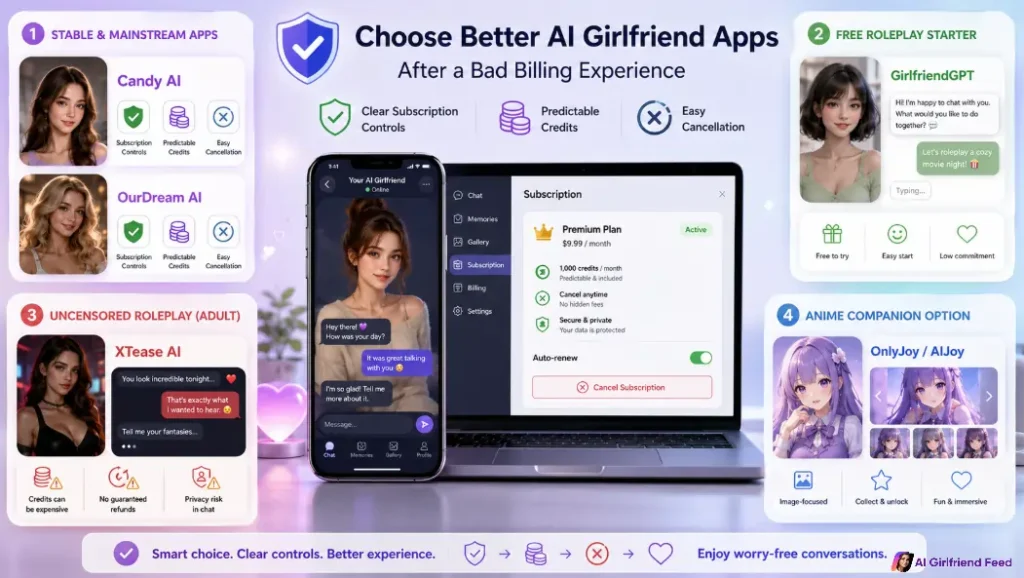
| Check Candy AI Billing → | Review OurDream Plans → | Start Free Roleplay → |
| Check Adult Roleplay Costs → Explore Anime Visuals → | ||

Recommended Readings
Final Verdict: Do This Today
If you want the cleanest refund outcome, do these three steps now:
Then decide what you actually want from this niche — chat, images, voice, long-term memory, or just a little spicy entertainment — and choose a product that matches that intent instead of panic-buying whatever shows up first.